Tap to pay lets you accept contactless payments with a card reader, iPhone, or Android device. Learn how it works by using NFC, what it costs, and how to set it up.
56% of US merchants now accept tap to pay (contactless) payments, up from 40% last year. Meanwhile, the global contactless payment market size is estimated to reach $164.15B by 2030.
If you're wondering how to use tap to pay solutions for your business, you're in the right place.
It’s easy to set up and start accepting contactless payments. You can do so with a traditional card terminal, or skip the hardware entirely using Tap to Pay on iPhone or Android's Tap to Pay capability.
This guide covers what tap to pay is, how it works, what it costs, and how to start accepting it with the hardware (or phone) you already have.
What is tap to pay?
Tap to pay is a payment method that lets customers pay instantly by tapping a card, smartphone, or wearable device on or near a payment terminal, rather than inserting a physical card and entering their PIN.
It's powered by NFC (near-field communication). The device sends an encrypted, one-time token (a stand-in for the actual card number) to the card reader within range.
Usually, devices need to be within a couple of inches of one another for NFC to activate.
These payments are also known as contactless payments because they need to be within close range, but don't actually need to make physical contact with a reader, terminal, or device.
How does tap to pay work?
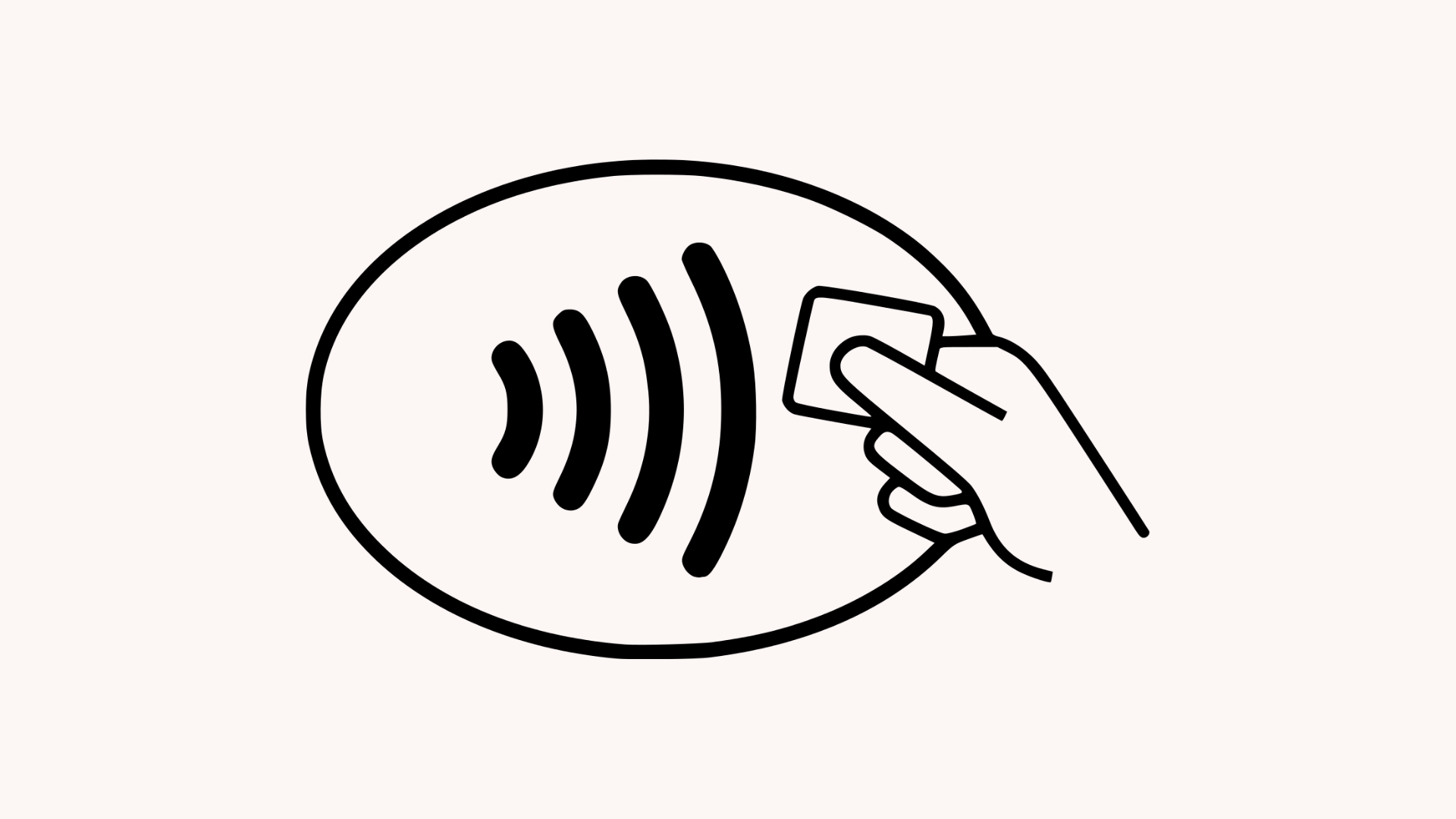
When a customer taps to pay with their card or device, NFC transfers a payment token to your reader. The payment is then approved in seconds.
Here's the full breakdown:
- The customer taps their card, phone, or smartwatch on the payment terminal or device.
- The customer's device creates a unique digital token instead of sending actual card data.
- The token and security code are encrypted and safely sent through to the payment network.
- The customer's bank then verifies the information and either approves or declines the payment.
- The merchant receives near-instant confirmation that the payment was successful, without ever seeing or storing the customer's full card details or any other sensitive info.
How do customers make contactless payments?
Customers can make tap to pay (or contactless) payments using debit and credit cards, smartphones, and even wearable devices (like Apple Watches and Google Wallet-enabled wearables).
- Credit and debit cards: Most modern credit and debit cards support tap to pay, as demonstrated by the contactless symbol you usually see on one side. This means the cards were built to support NFC and can make payments by tapping or hovering over whichever device is set up to accept tap to pay payments.
- Smartphones: Smartphones enable contactless payments through built-in digital wallets, like Apple Pay, Google Pay, Samsung Pay, and more. 74% of US consumers use digital wallets because they make checking out fast and easy, and global digital wallet payments are expected to account for more than 52% of all online spending by 2030.
- Wearable devices: Wearable devices are also gaining traction as a popular way to complete tap to pay transactions. Similar to smartphones, users simply need to wave or hover their smart watch or other wearable over the payment device and checkout completes within seconds.
How to set up digital wallets for tap to pay
Setting up tap to pay with digital wallets (either on a phone or smartwatch) takes a couple of minutes.
The customer opens their device's wallet app (like Apple Pay or Google Wallet), adds a credit or debit card by scanning it or entering the details manually, and verifies with their bank. The approval usually happens via a text code or through a banking app.
From there, they can pay by unlocking their device and holding it within a couple of inches of any contactless-enabled terminal.
Top tap to pay and contactless payment providers
The top payment providers with tap to pay capabilities include Whop, Stripe, and Adyen. Each has different fees, hardware offerings, and capabilities for using your phone as a terminal. We've listed six providers below, along with which businesses they're best suited for.
| Provider | In-person rate (US) | Tap to pay on phone | Hardware (optional, US prices) |
|---|---|---|---|
| Whop | 2.7% + 30¢ | iPhone XS+ via Whop app (US only) | None offered — your iPhone is the terminal |
| PayPal POS | 2.29% + 9¢ | iPhone XS+ & Android 8.0+ (NFC) via PayPal POS app | First card Reader $29 ($79 after), Terminal $199 ($239 with barcode scanner) |
| Square | 2.6% + 15¢ | iPhone XS+ & Android via Square POS app | Reader $59, Stand $149, Terminal $299, Handheld $399, Register $899 |
| SumUp | 2.6% + 10¢ | iPhone XS+ & Android 11+ (NFC) via SumUp Business app | Card readers from $54 and POS kits from $499 |
| Stripe | 2.7% + 5¢ (+10¢ per tap-to-pay authorization) | iPhone XS+ & Android via Terminal SDK or Stripe Dashboard app | Card readers from $59 |
| Adyen | $0.13 + interchange++ + 0.60% (Visa/MC, indicative) | iPhone XS+ & Android 12+ via your own app with Adyen SDK | Range of mobile & countertop POS terminals; no public pricing |
Whop
Whop gives you everything you need to run a business end-to-end: payments, ads, business cards, marketplace distribution – plus access to an on-demand workforce which is currently available in 20 countries, including the US.
Currently, Tap to Pay on iPhone is supported, with plans to introduce Tap to Pay on Android in the future. No hardware is needed for contactless payments, your phone is the reader.
Pay-as-you-go pricing is the same across the board, regardless of how you accept payments (with custom pricing and tailored rates available for high volume businesses).
Shelby Sapp, founder of She Sells Academy, was able to process $700k during one hour of her IRL event. All thanks to Whop's Tap to Pay on iPhone capability.
PayPal POS
PayPal POS (formerly Zettle) gives you three ways to accept tap to pay: on your phone with no extra hardware, with a $29 card reader, or with a $199 all-in-one terminal that has the app built in.
Phone-only works on both iPhone and Android through the PayPal POS app.
The app also handles inventory, sales tracking, and staff management, with accounting and ecommerce integrations.
Transactions cost 2.29% + 9¢ in person (US) with no monthly fees, and funds land in your PayPal business account.
Square
Square has tap to pay included in its POS app. Sellers can download it, connect their Apple ID or Android device, and turn their phone into a terminal (works on iPhone XS or later, and NFC-enabled Androids).
In-person transactions cost 2.6% + 15¢ in the US, with no monthly fee on the free plan. If you outgrow your phone, Square's hardware has options from a $59 contactless reader up to an $899 dual-screen register.
SumUp
SumUp supports Tap to Pay on iPhone (XS or later) and Android (11+, NFC-enabled) through the free SumUp Business app. There's no activation cost or monthly fee.
Sellers can also purchase card readers from $54 (one-off) and complete POS systems from $99/month plus hardware from $799. There's also a mid-tier POS Lite register available at a one-time cost of $499, with no subscription.
US transactions cost 2.6% + 10¢ in person.
Stripe
Stripe supports Tap to Pay on iPhone and Android through its Terminal SDK, which developers integrate into their own app.
Non-technical sellers can also take payments with no code via the Stripe Dashboard app.
US in-person transactions cost 2.7% + 5¢, plus a 10¢ authorization fee per Tap to Pay transaction.
If you need hardware, Stripe's device range runs from the $59 Reader M2 to smart readers and self-service kiosks, ordered through the Stripe Dashboard.
Adyen
Adyen's tap to pay works on iPhone (iOS 17 or later) and Android (12+). For iPhone, you integrate Adyen's SDK into your own app. On Android, the Adyen Payments app connects to your POS without any SDK work.
Each transaction costs a $0.13 processing fee plus a payment-method fee (for Visa and Mastercard, interchange++ plus 0.60%).
There are no setup or monthly fees, but a minimum invoice applies depending on your industry.
Terminal hardware is available worldwide, with pricing on request.
How to accept tap to pay at your business
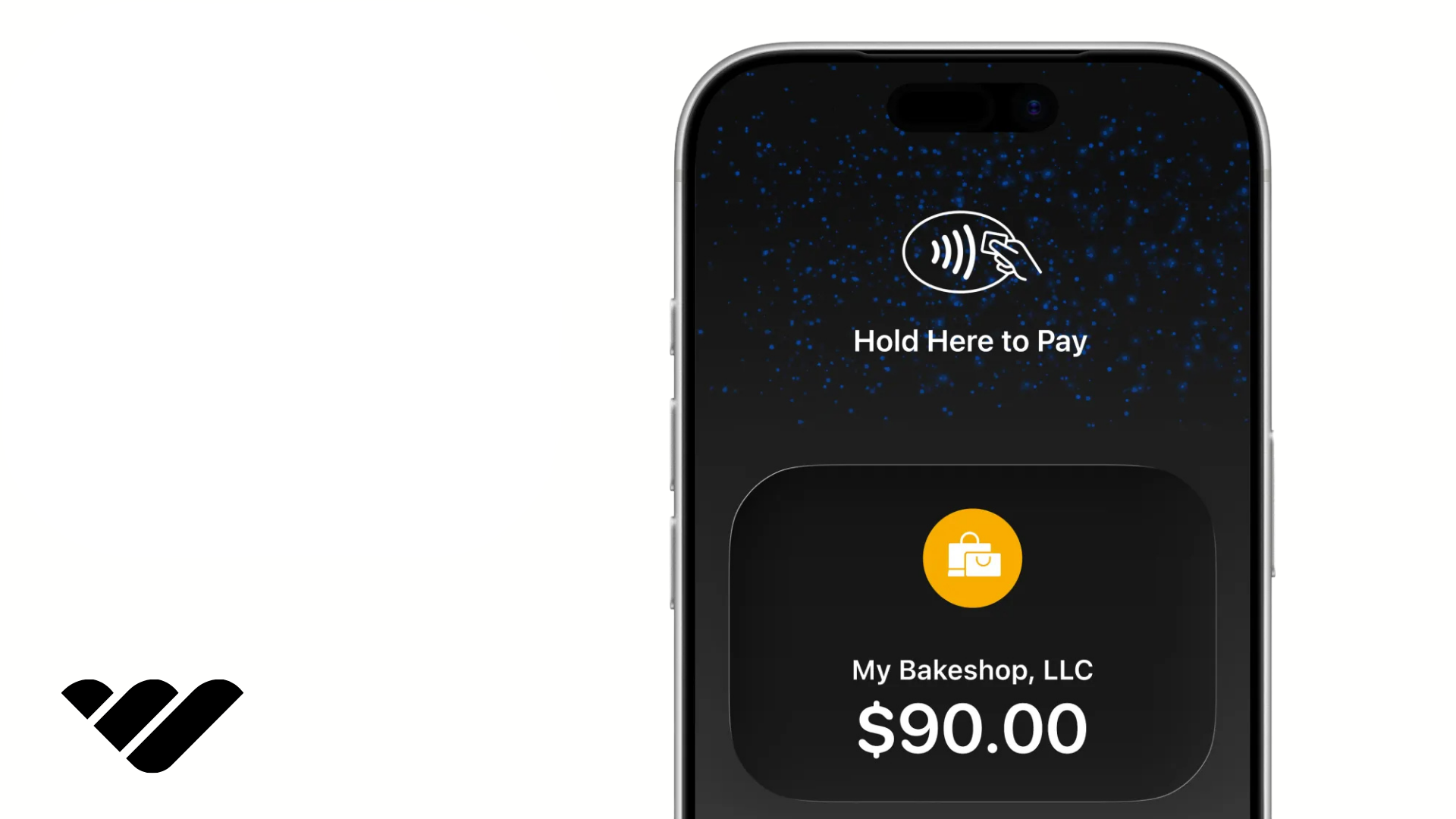
You don't need any specialized hardware to accept tap to pay at your business, just a payment provider that supports it and a compatible device. Here's how to get set up:
- Choose a payments provider that supports contactless payments: Make sure you consider transaction fees, payout speed, and that the provider supports the way you're selling (in-person, online, or both). Most tap to pay transactions have no extra fees. You typically pay the same transaction fee as regular card payments.
- Check that your payment device is compatible with tap to pay: Tap to Pay on iPhone works on iPhone XS and newer models; on Android, you'll need an NFC-enabled phone running on a supported OS. If you already have a payment terminal or card reader, you should be good to go (just check that the contactless payment symbol is present).
- Make sure tap to pay is enabled for your account: You may need to configure your POS settings or contact your payment provider if using a POS or card reader. For smartphones, you typically enable the right settings through your payment provider's app, which may include a verification step. Android users may also need to ensure their device settings have NFC toggled on.
- Run a test transaction: Tap your own card or device to ensure everything is working before you present tap to pay to a customer.
- Start selling: Enter the amount at checkout either via your device app or POS. The customer will tap their card, phone, or wearable, and you'll get confirmation of payment within seconds.
Accepting Tap to Pay on iPhone
Businesses can accept contactless payments directly on an iPhone using Tap to Pay on iPhone, Apple's built-in feature that turns the phone itself into a card reader.
No extra hardware is needed; it works on iPhone XS or later running iOS 16.4+
If you sell with Whop and have an iPhone, you're minutes away from accepting in-person payments. The Whop iOS app supports Tap to Pay on iPhone, which turns your phone into a contactless terminal:
Download or make sure you're already running the latest version of the Whop iOS app, and create a checkout link for each product you're selling in person.
Don't have the Whop iOS app? Download it here.
The first time you use Tap to Pay on iPhone with Whop, you'll be walked through a quick one-time setup from Apple.
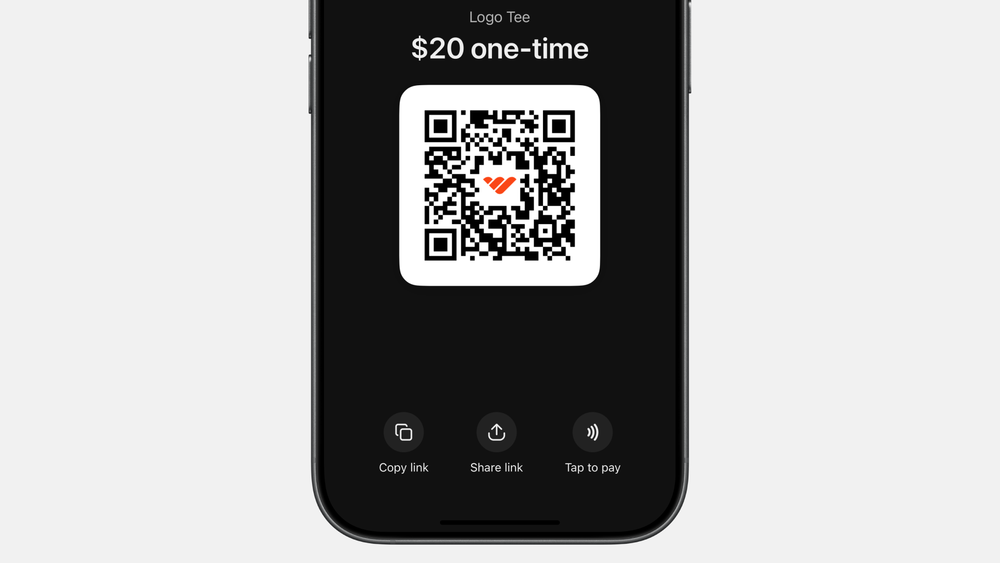
When a customer's ready to pay, tap the "Tap to pay" button under the checkout link's QR code. The customer then holds their card, phone, or smartwatch over your iPhone and payment clears in seconds.
Funds land in your Whop balance alongside your other sales, and customers can add their email address for a receipt if desired.
Note: Tap to Pay on iPhone is only available for one-time payments, not subscriptions. Currently only available to Whop sellers based in the US.
Check out our guide to using Tap to Pay on iPhone with Whop.
Accepting tap to pay with an Android device
Your Android phone can accept tap to pay if it has NFC and runs Android 10 or later. From there, a payment app like Square, Stripe, or PayPal POS turns the phone into a terminal; no reader required.
Requirements vary by app, so check your provider's supported-device list.
We're working on a bringing a tap to pay solution to Whop sellers with Android devices in the near future. Stay tuned.
Accepting tap to pay with a card terminal
To accept tap to pay on a card terminal, you need a reader with NFC (which nearly every modern terminal has built in). If you already take chip cards, check yours for the contactless symbol; you're likely set without buying anything new.
Need a card reader or terminal-based solution? Check out the table of providers above with hardware.
How much does tap to pay cost?
Tap to pay is free for customers, there's no extra fee for tapping a card or phone instead of inserting it.
For businesses, tap to pay transactions are treated as card-present payments, so you'll typically pay the same processing rate as any other in-person card payment.
While there's no premium for accepting contactless, a few things affect what you'll actually pay:
- Processing rates: Most providers charge their standard in-person rate for tap to pay. Some may add a small per-transaction authorization fee for contactless payments, so check the fine print.
- Hardware: If you're using Tap to Pay on iPhone or Android, hardware costs are zero. The phone you own is the terminal. A dedicated card reader or terminal can run anywhere from $29 (PayPal card reader) to several hundred dollars.
- Account extras: Depending on the provider, watch for monthly fees, PCI compliance fees, and chargeback fees that apply across all payment types, not just contactless.
Selling with Whop? Tap to Pay on iPhone costs the same as any other card transaction, with no setup fees, monthly costs, or extra charge for contactless. Your iPhone is the terminal, so hardware costs are zero.
Is tap to pay a secure way to make and accept payments?
Yes. Tap to pay's security is one of the main reasons the method has become so popular.
When a customer taps their card, phone, or smartwatch, the payment details don't get transmitted in plain text. The transaction is protected using tokenization, which replaces sensitive card information with a unique code that is only valid for that exact purchase. That means even if that data were intercepted, it couldn't be used again for any fraudulent payments.
Mobile wallets such as Apple Pay and Google Pay add another layer of security by requiring customers to verify the payment with their passcode (or even more securely with biometrics, like Face ID or a fingerprint).
Merchants never receive the customer's full card details, which means there's less sensitive information at risk if a data breach occurs on the card network or business backend.
Businesses using tap to pay can offer their customers a fast, convenient, and highly secure payment experience. That security is one of tap to pay's biggest selling points.
What are the benefits of offering tap to pay?
Beyond security, tap to pay can also help businesses speed up transactions, improve the customer experience through convenience, and reduce the need for expensive payment hardware.
Faster checkouts
Contactless payments take just a few seconds and help reduce physical queues and keep customers moving. This is particularly useful for in-store purchases and pop-up events – but it can also help remove checkout friction online, as for many customers it's a preferred payment method.
Lower hardware costs
Many businesses can start accepting tap to pay with a compatible smartphone or tablet rather than having to purchase a dedicated card reader or terminal. This reduces up front costs and makes it easier for all kinds of small businesses to accept payments, from in-person mechanic services to coffee bars.
Accept payments anywhere
Even if you sell primarily online, tap to pay gives you the opportunity to expand your business into IRL experiences like pop ups, market stalls, networking events, and more. As long as you have a device capable of accepting them (like an iPhone or Android), you can make sales with your mobile data or a WiFi connection.
Helps to mobilize staff
Ever been into an Apple store? All staff use Apple's contactless solution, Tap to Pay on iPhone, to accept customer payments, allowing staff to be completely mobile without standing behind a dedicated checkout desk. Same logic applies if you're running a brick-and-mortar store, cafe, repair shop, market stall – anywhere multiple customers can be served at once.
Cons of tap to pay to consider
While tap to pay is fast, secure, and convenient, there are still some downsides worth considering before implementing the payment method (especially if it will be your only way to process transactions).
- Contactless only: Tap to pay can't read cards that need to be swiped or inserted. Most modern cards are contactless, but a small share of customers still have a chip-only card so a backup reader (or a QR code checkout link) is worth having.
You can take in-person payments with the Whop iOS app and QR code payment links.
- Connection-dependant: Accepting tap to pay on a phone requires WiFi or mobile data. If you're selling somewhere with patchy signal (think market stalls or traveling to customers for IRL services), you'll need to plan ahead.
- Compatibility: Not every provider supports tap to pay on every device, or in every country. Check compatibility isn't an issue for your business or customers before committing.
Implement tap to pay with Whop
The Whop iOS app supports Tap to Pay on iPhone, so your phone can become your terminal, allowing you to create a checkout link and take contactless payments in seconds.
Because Whop runs your whole business (payments, payouts, cards, and ads), the same platform that powers your online sales can now handle your market stall, pop-up, or storefront too.
Currently, Tap to Pay on iPhone is available to sellers in the US only, with plans to expand coverage in the near future. Sellers will soon have access to contactless payments with Android, too.
We’ll keep you updated as these changes roll out.
Tap to pay FAQs
What is tap to pay and how does it work?
Tap to pay is a contactless payment method using near-field communication (NFC) that allows customers to complete payment using their card, phone, or smartwatch by hovering or waving it within a few inches of a payment terminal or compatible device.
Is tap to pay safe? Can it be skimmed or hacked?
Yes, tap to pay is safe and hard for hackers to intercept as each transaction relies on tokenization, sending a single-use code that encrypts card data and cannot be repeated for more than one transaction.
How do you set up tap to pay on iPhone or Android?
To set up tap to pay on your device to make payments, you'll need to set up your digital wallet (Apple Wallet or Google Wallet). If you want to use your iPhone or Android device to accept tap to pay payments, you'll need to set it up through your payment provider's mobile app. Android users may need to enable NFC in their device settings.
Is tap to pay the same as contactless?
Yes, tap to pay is a contactless payment method, allowing customers to make payments with their card, device, or wearable without making physical contact with a payment terminal. This relies on NFC, or near-field communication, allowing payments to be made when devices are within close range (a couple of inches) of one another.
Does tap to pay work without internet or cell service?
Customers may be able to make tap to pay payments without a working connection as their device has secure stored data tokens. For merchants, however, a working internet connection or mobile data is needed to process payments.
Is there a limit on tap to pay transactions?
In the US, there's no federal limit on contactless payments – though some banks may have their own transaction limits. Digital wallets typically have no limit, because biometric data or a passcode verification confirms the cardholder each time they pay.
What fees do merchants pay for tap to pay?
Tap to pay transactions are typically treated as card-present payments, meaning merchants pay the same processing rate as any other in-person card payment.
How do I accept tap to pay as a business?
Businesses can accept tap to pay by signing up with a payment provider that supports contactless payments and either acquiring compatible hardware or using an NFC-enabled device as their payment terminal (such as an iPhone or Android).